Start here
LakeQuality for iPhone at a glance
What the LakeQuality iPhone app does, what is free, what LakeQuality Plus costs, how the free trial and Apple payments work, and accounts.
Updated November 20, 2026
What it does
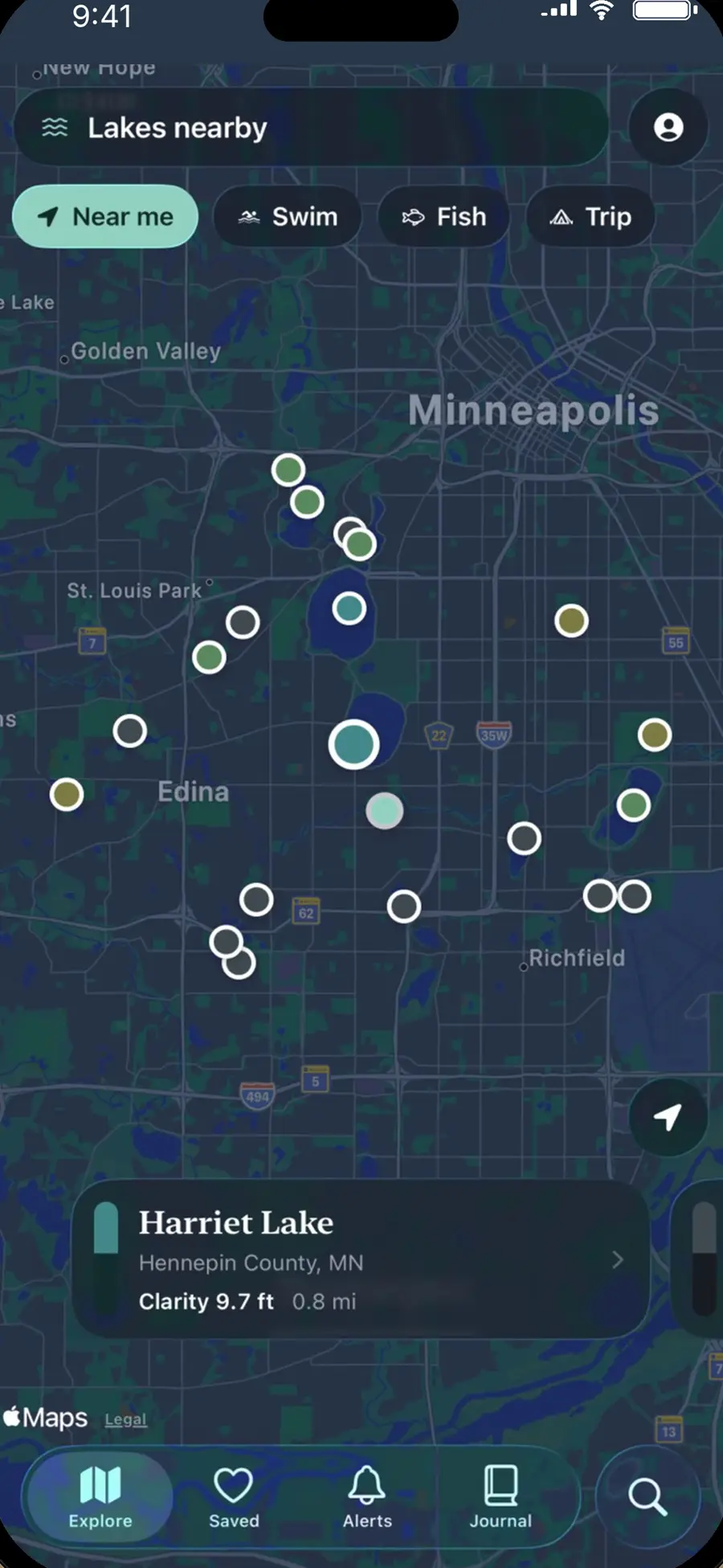
LakeQuality for iPhone puts lakequality.org's lake records on your phone: lakes near you on Apple Maps colored by water clarity, each lake's readings (clarity, phosphorus, chlorophyll-a, satellite algae, depth, ice-out, fish surveyed), saved lakes, alerts when a saved lake gets a new reading or an algae flag, a private lake journal, and AI help that answers only from each lake's own record.
Who it's for
Swimmers, anglers, boaters, cabin owners and anyone choosing a lake in the United States.
Where it runs
| Question | Answer |
|---|---|
| iPhone | Yes, from the App Store as LakeQuality (version 2). |
| iPad, Android | No app. |
| Web | lakequality.org has every lake page, and your account works on both. |
What it costs
| Plan | Price |
|---|---|
| LakeQuality | Free: every reading, algae flags, the map, search, saved lakes, the lake sheet, places to stay, the journal and alerts |
| LakeQuality Plus, yearly | $24.99 a year, with a 7-day free trial |
| LakeQuality Plus, monthly | $3.99 a month |
| LakeQuality Plus, lifetime | $59.99 once |
Plus raises the monthly AI allowances and adds lake radar, offline regions, the full fishing rankings, the season recap, the lake report PDF and widgets. See LakeQuality Plus and billing.
How paying works
Plus is sold through the App Store and charged to your Apple Account. The plans screen opens from Account → LakeQuality Plus or from any Plus feature; Apple's sheet confirms the price. The yearly plan's 7-day trial is Apple's, offered to eligible accounts; cancel at least 24 hours before it ends or $24.99 is charged. Subscriptions renew until you cancel in iPhone Settings → your name → Subscriptions. Apple handles refunds.
Do I need an account?
No. Everything free works without one. Signing in with Apple or Google keeps the same saved lakes on lakequality.org and turns on alerts. See Your account.